
Who this is for: surgeons, nurses and practice managers
Notifications tell you when something needs your attention.
Open your notifications
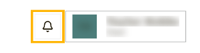
Select the bell at the top right of the screen, next to your name. A number on the bell shows how many you haven't read.
What you'll see
Each notification shows what happened, when, and a short message. Select one to open the page it's about. It's marked as read.
Hover over a notification to:
- mark it as read (the tick)
- delete it (the bin)
Select Mark all read to clear the count. Notifications are removed after 30 days.
What you'll be notified about
Surgeons are notified when:
- a patient sends a new wound image to review
- a clinical alert about one of their patients is assigned to them
Practice managers don't get notifications yet.
How you're notified
Notifications appear in the dashboard. Email and text message notifications are coming soon. You'll see the options on your profile.