
Download Alivra:
-
Once referred by your treating surgeon, you would have received an SMS from Alivra
-
Click and open link in SMS
-
Open the App Store (Apple) or Google Play (Android)
-
Tap Get or Install

Sign in for the first time:
-
Open the Alivra app
-
Enter your mobile number
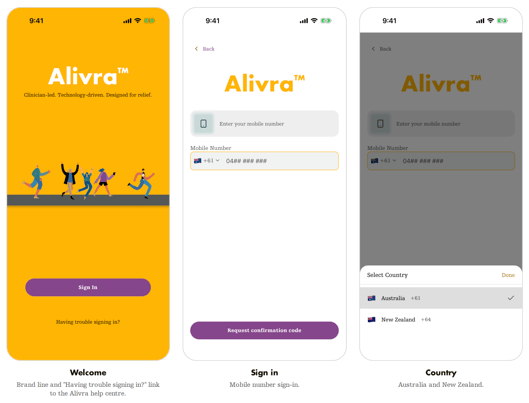
-
Allow access to the camera and notifications when asked.
-
Once you've signed in, you'll see your home screen.