
Let's get exercising:
-
Open Alivra and sign in.
-
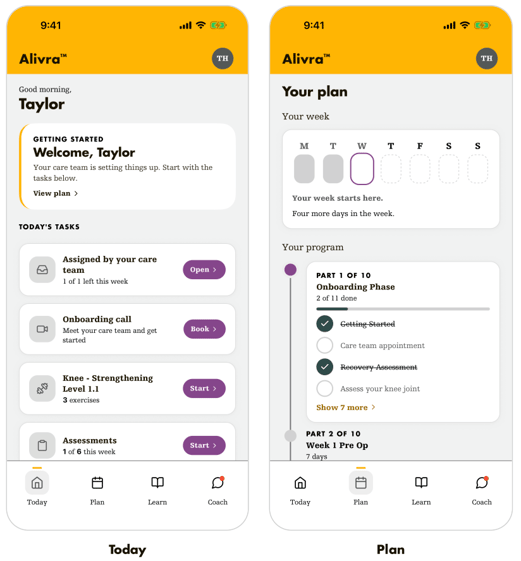
On the home screen, find your program.
-
Your next tasks will be listed in "Today's Taks", ie, "Knee - Strengthening Level 1.1"
- Exercise prescriptions can also be viewed via the "Plan" tab
-
Tap an exercise to begin.
-
If the program or exercises don't look right, don't start. Message your clinician or contact Alivra support first.